
How Your Data Stays Up to Date
The AI Analytics Assistant keeps your underlying data current automatically, while giving you control over when dashboard cards show the latest numbers. Understanding the difference helps you trust what you're looking at.
Your data is ingested daily
New interaction data flows into the Analytics Assistant every day. This means that when you ask a question in chat, the answer reflects the most recent data available.
Dashboard cards are snapshots
A pinned card displays the answer as it was when it was pinned (or last refreshed). Cards don't recalculate every time you open a dashboard. This keeps dashboards fast and predictable, and means a number you shared last week stays consistent when someone opens it later.
When you want a card to reflect the newest data, you refresh it.
Refreshing a dashboard
To pull the latest numbers onto a dashboard:
- Open the dashboard.
- Click Refresh.
- The cards recalculate against the most recent data (and respect any date filter you have applied).
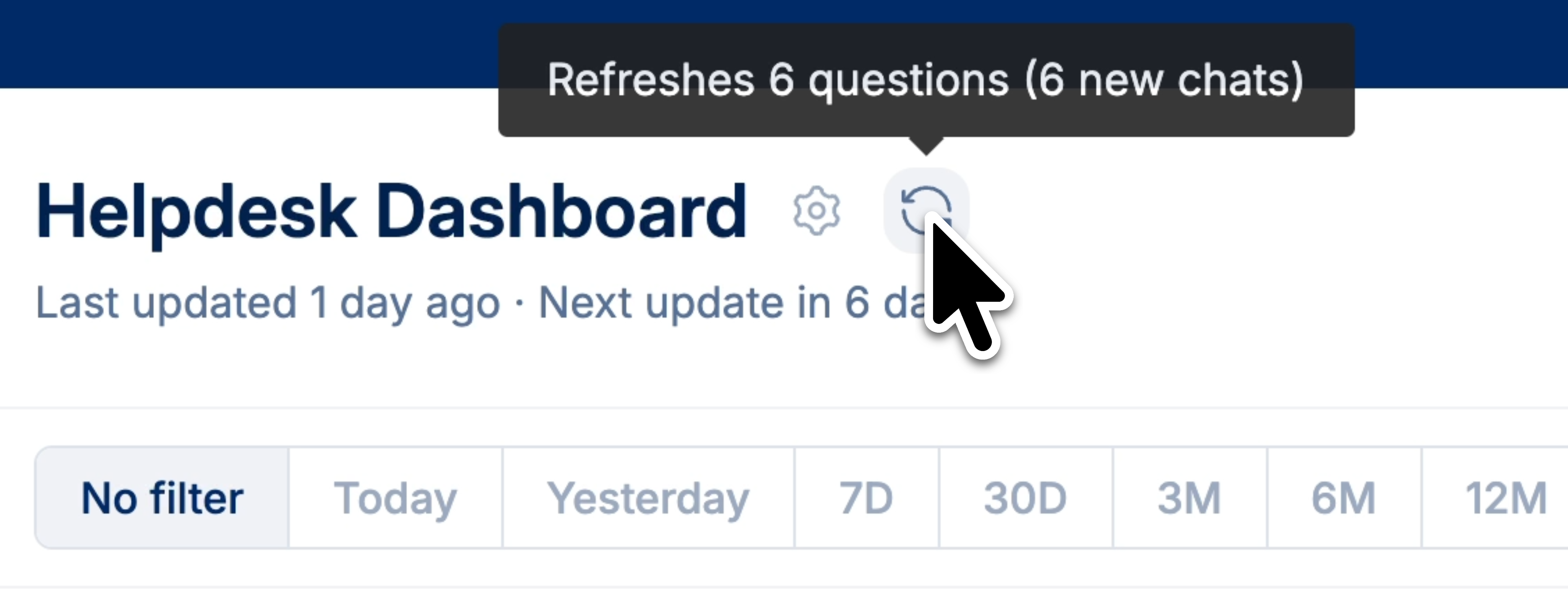 Automatic refreshes with subscriptions
If you set up a subscription for a dashboard, the dashboard is refreshed automatically on the schedule you choose before each email is sent. For example, a subscription that sends every Monday will refresh the dashboard every Monday, so recipients always get current figures.
This makes subscriptions a convenient way to keep a dashboard fresh on a regular cadence without refreshing it by hand. See Dashboard Subscriptions.
Quick reference
| What | When it updates |
|---|---|
| Underlying data (used by chat) | Automatically, every day |
| Dashboard cards | When you refresh, or on a subscription's schedule |
| Chat answers | Every time you ask |